Stay Connected Wherever You Go!
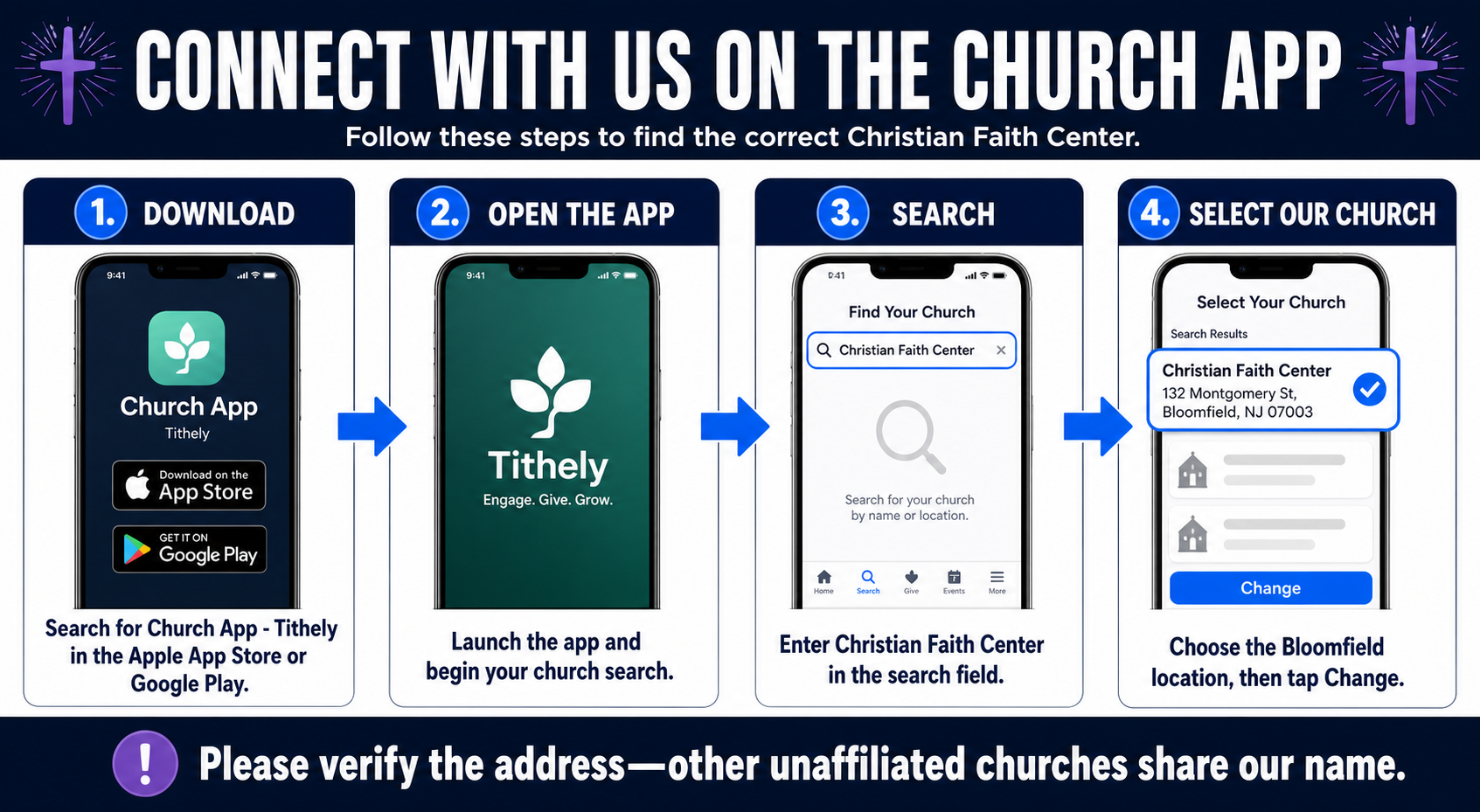
Getting connected with Christian Faith Center is easy! Follow these simple steps to download and set up our church app:
Open the Apple App Store or Google Play Store on your phone.
Search for Church App – Tithely, then download and open the app.
Enter Christian Faith Center in the church search field.
Look for Christian Faith Center at 132 Montgomery Street, Bloomfield, NJ 07003. Please double-check the address, as other unaffiliated churches share our name.
Select our church, then tap Change when prompted to personalize the app with our church icon.
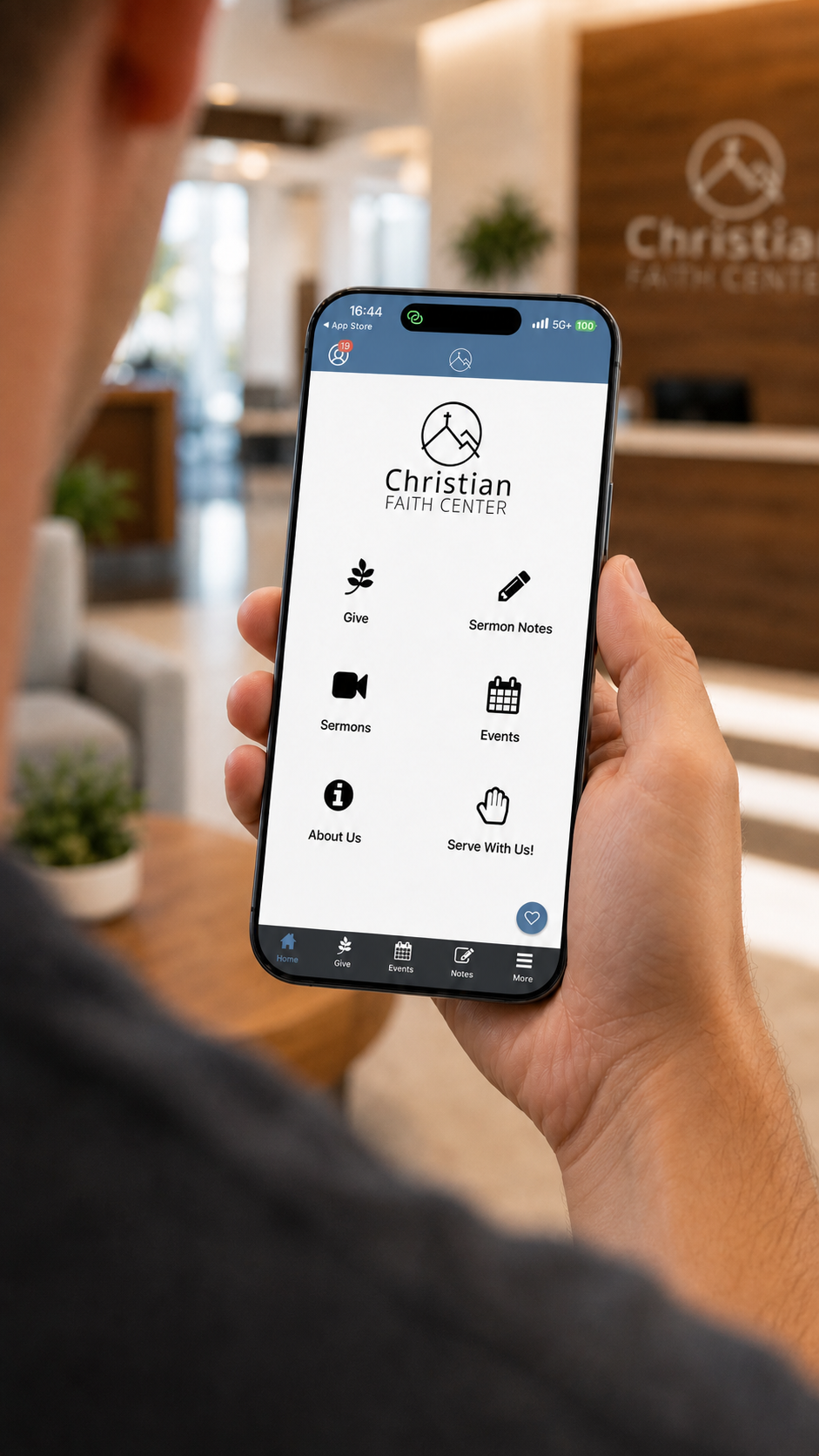
You’re all set! Explore upcoming events, watch messages, receive church updates, give securely, and stay connected with your Christian Faith Center family throughout the week.
Download Our App